



0x00 前言
编码问题,为什么报的是字符串缺少终止符?
在 Windows 上写 PowerShell 脚本时,很多人都会遇到中文乱码问题。为了让终端、文件输出都统一到 UTF-8,我们写了一个自动初始化 Profile 的脚本,目的是让 PowerShell 启动后默认使用 UTF-8 编码。
脚本逻辑本身并不复杂,但执行时却直接报了一个很“语法”的错误:
PS C:\Users\googl> C:\Users\googl\Desktop\1.ps1
所在位置 C:\Users\googl\Desktop\1.ps1:30 字符: 12
+ Write-Host "鈩癸笍 UTF-8 宸查厤缃紝璺宠繃銆? -ForegroundColor Cyan
+ ~~~~~~~~~~~~~~~~~~~~~~~~~~~~~~~~~~~~~~~~~~~~
字符串缺少终止符: "。
所在位置 C:\Users\googl\Desktop\1.ps1:29 字符: 8
+ } else {
+ ~
语句块或类型定义中缺少右“}”。
+ CategoryInfo : ParserError: (:) [], ParseException
+ FullyQualifiedErrorId : TerminatorExpectedAtEndOfString
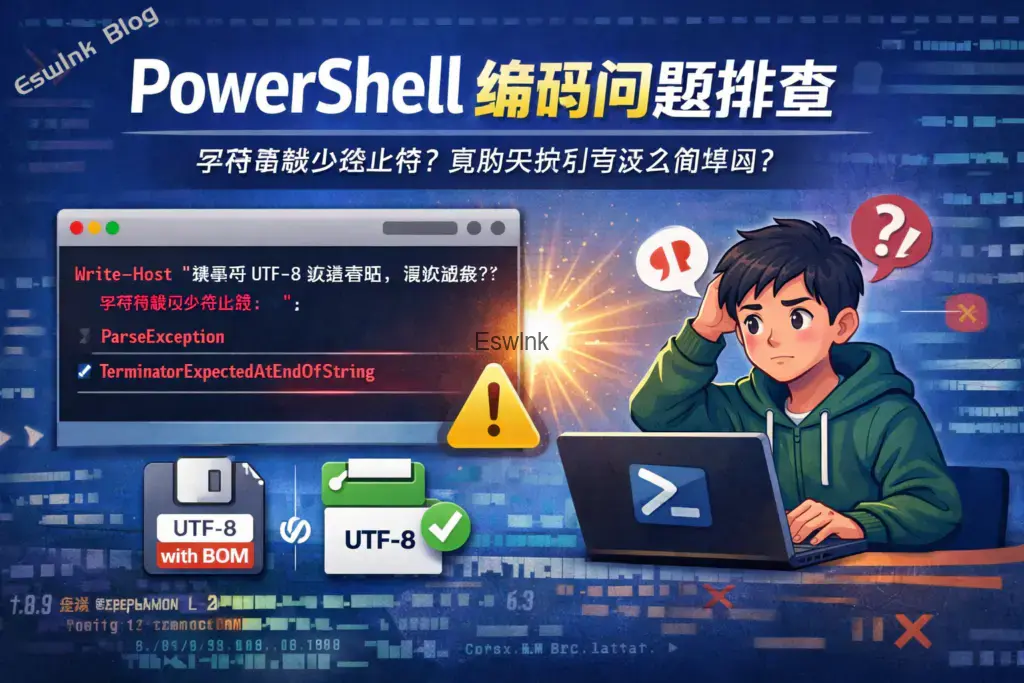
表面上看,这是一个典型的 PowerShell 语法错误:字符串没有闭合、右花括号缺失。但实际排查后发现,根因并不是语法,而是脚本文件本身的编码格式。
0x01 问题背景
我们的原始脚本大致如下:
# Setup-UTF8PowerShellProfile.ps1
$utf8Config = @'
# 设置控制台使用 UTF-8 编码(无 BOM)
chcp 65001 | Out-Null
[Console]::InputEncoding  = [System.Text.UTF8Encoding]::new()
[Console]::OutputEncoding = [System.Text.UTF8Encoding]::new()
$OutputEncoding = [System.Text.UTF8Encoding]::new()
# 设置默认文件操作编码为 UTF-8(无 BOM)
$PSDefaultParameterValues['Out-File:Encoding']    = 'utf8'
$PSDefaultParameterValues['Set-Content:Encoding'] = 'utf8'
$PSDefaultParameterValues['Add-Content:Encoding'] = 'utf8'
'@
# 创建目录(如果不存在)
$profileDir = Split-Path -Parent $PROFILE
if (-not (Test-Path $profileDir)) {
New-Item -ItemType Directory -Path $profileDir -Force | Out-Null
}
# 读取现有内容
$existing = if (Test-Path $PROFILE) { Get-Content $PROFILE -Raw } else { "" }
# 检查是否已配置(避免重复)
$hasConfig = $existing -match 'Console::OutputEncoding' -and
$existing -match '\$OutputEncoding' -and
$existing -match "PSDefaultParameterValues.*Out-File:Encoding"
if (-not $hasConfig) {
$newContent = if ($existing) { "$existing`r`n$utf8Config" } else { $utf8Config }
$utf8NoBom = New-Object System.Text.UTF8Encoding($false)  # $false = 无 BOM
[System.IO.File]::WriteAllText($PROFILE, $newContent, $utf8NoBom)
Write-Host "✅ UTF-8 配置已写入 Profile!路径: $PROFILE" -ForegroundColor Green
} else {
Write-Host "ℹ️ UTF-8 已配置,跳过。" -ForegroundColor Cyan
}
# 立即生效
. $PROFILE
它的设计目标很明确:
- 设置控制台输入输出为 UTF-8。
- 设置默认文件写入编码为 UTF-8。
- 自动写入 PowerShell Profile。
- 避免重复写入。
- 写完立即
.加载生效。
按理说,这样的脚本不该出现语法问题。但现实是,一执行就炸。
0x02 现象分析:为什么明明代码没少引号,却提示字符串未结束?
最关键的异常信息其实是这一行:
Write-Host "鈩癸笍 UTF-8 宸查厤缃紝璺宠繃銆? -ForegroundColor Cyan
如果原始代码里写的是:
Write-Host "ℹ️ UTF-8 已配置,跳过。" -ForegroundColor Cyan
那现在输出成这串“乱码”,说明 PowerShell 在读取 .ps1 文件时,没有按正确编码解释脚本内容。
也就是说,PowerShell 看到的并不是我们编辑器里看到的那段源码,而是一段被错误解码后的文本。中文和 emoji 被破坏后,连字符串边界都可能被影响,最终导致解释器误判为:
- 字符串缺少结束引号
else所在的代码块没有正确闭合
所以这类报错虽然长得像语法问题,本质上其实是源码编码损坏导致的解析失败。
0x03 Windows PowerShell 5.1 对 UTF-8 无 BOM 并不友好
问题出现的根因,通常是以下组合导致的:
1. 脚本文件保存成了 UTF-8 无 BOM
很多现代编辑器默认喜欢把文件保存成 UTF-8 without BOM。这在大多数语言和工具链中没问题,但对 Windows PowerShell 5.1 来说,兼容性并不总是稳定。
PowerShell 5.1 对 .ps1 文件的编码识别比较老旧,尤其当文件里包含中文、emoji 或特殊符号时,如果没有 BOM,解析器可能会按 ANSI、本地代码页或其他错误方式去解释字节流。
2. 脚本里出现了中文和 emoji
这次最容易出问题的就是两行:
Write-Host "✅ UTF-8 配置已写入 Profile!路径: $PROFILE" -ForegroundColor Green
Write-Host "ℹ️ UTF-8 已配置,跳过。" -ForegroundColor Cyan
这里同时包含:
- emoji:
✅、ℹ️ - 中文:
配置已写入、跳过 - 全角标点:
!、:
这些字符一旦被错误解码,就很容易让整行字符串失真,甚至把结束引号也“污染”掉。
0x03 一个常见误区
这次问题还有一个很容易混淆的点:
我们脚本里确实是在主动把 Profile 写成 UTF-8 无 BOM:
$utf8NoBom = New-Object System.Text.UTF8Encoding($false)
[System.IO.File]::WriteAllText($PROFILE, $newContent, $utf8NoBom)
这段逻辑本身没有问题。
但要注意:
- 目标 Profile 文件写成 UTF-8 无 BOM,这是业务逻辑。
- 当前
.ps1脚本文件本身怎么保存,这是另一回事。
也就是说,你可以让脚本输出 UTF-8 无 BOM,但执行这个脚本的源文件本身,未必适合保存成 UTF-8 无 BOM,尤其是在 Windows PowerShell 5.1 下。
0x03 修复思路
针对这个问题,有两条非常实用的修复路径。
方案一:去掉高风险字符,尽量使用纯 ASCII 输出
这是最稳妥、最省事的做法。
把这些容易出编码问题的提示文字:
Write-Host "✅ UTF-8 配置已写入 Profile!路径: $PROFILE" -ForegroundColor Green<br>Write-Host "ℹ️ UTF-8 已配置,跳过。" -ForegroundColor Cyan<br>替换为纯英文或纯 ASCII:
Write-Host "[OK] UTF-8 config has been written to profile: $PROFILE" -ForegroundColor Green
Write-Host "[INFO] UTF-8 config already exists. Skipped." -ForegroundColor Cyan
这样即使编辑器、终端、PowerShell 对编码处理不一致,也不太容易炸。
修复后的完整脚本如下:
# Setup-UTF8PowerShellProfile.ps1

$utf8Config = @'
# Set console to UTF-8
chcp 65001 | Out-Null
[Console]::InputEncoding  = [System.Text.UTF8Encoding]::new()
[Console]::OutputEncoding = [System.Text.UTF8Encoding]::new()
$OutputEncoding = [System.Text.UTF8Encoding]::new()

# Set default file encodings to UTF-8
$PSDefaultParameterValues['Out-File:Encoding']    = 'utf8'
$PSDefaultParameterValues['Set-Content:Encoding'] = 'utf8'
$PSDefaultParameterValues['Add-Content:Encoding'] = 'utf8'
'@

# Create profile directory if needed
$profileDir = Split-Path -Parent $PROFILE
if (-not (Test-Path $profileDir)) {
    New-Item -ItemType Directory -Path $profileDir -Force | Out-Null
}

# Read existing profile
$existing = if (Test-Path $PROFILE) { Get-Content $PROFILE -Raw } else { "" }

# Check whether config already exists
$hasConfig = ($existing -match 'Console::OutputEncoding') -and
             ($existing -match '\$OutputEncoding') -and
             ($existing -match 'PSDefaultParameterValues.*Out-File:Encoding')

if (-not $hasConfig) {
    $newContent = if ($existing) { "$existing`r`n$utf8Config" } else { $utf8Config }

    # Write profile as UTF-8 without BOM
    $utf8NoBom = New-Object System.Text.UTF8Encoding($false)
    [System.IO.File]::WriteAllText($PROFILE, $newContent, $utf8NoBom)

    Write-Host "[OK] UTF-8 config has been written to profile: $PROFILE" -ForegroundColor Green
}
else {
    Write-Host "[INFO] UTF-8 config already exists. Skipped." -ForegroundColor Cyan
}

# Reload profile
. $PROFILE
方案二:保留中文,但把 .ps1 文件保存为 UTF-8 with BOM
如果确实想保留中文提示,那就尽量让 PowerShell 5.1 更容易正确识别脚本编码。
推荐做法是把脚本文件重新保存为 UTF-8 with BOM。
例如在 VS Code 中可以这样做:
- 打开脚本文件。
- 点击右下角当前编码。
- 选择“使用编码保存”。
- 选择
UTF-8 with BOM。
然后脚本内容可以保留中文,但建议仍然少用 emoji。
示例:
Write-Host "UTF-8 配置已写入 Profile:$PROFILE" -ForegroundColor Green
Write-Host "UTF-8 已配置,跳过。" -ForegroundColor Cyan
相比带 emoji 的版本,这样更稳。
0x04 为什么 PowerShell 7 一般没这么多坑?
如果你用的是 PowerShell 7+,很多 UTF-8 相关行为已经比 Windows PowerShell 5.1 现代得多,默认编码处理也更符合现在的开发习惯。
但现实问题在于:
- 很多 Windows 机器默认还是
powershell.exe,也就是 5.1。 - 许多运维脚本、登录脚本、企业环境初始化脚本仍然跑在 5.1 上。
- 编辑器默认编码和运行时解析行为未必一致。
所以只要目标环境里还存在 PowerShell 5.1,就不能完全按“现代 UTF-8 习惯”来想当然。
0x05 这次排查带来的几个经验总结
1. 报语法错,不一定真是语法错
看到“字符串缺少终止符”“缺少右花括号”时,不要第一时间只盯着括号和引号数。
如果报错行里已经出现乱码,那优先怀疑:
- 文件编码
- 复制粘贴时的字符集损坏
- 编辑器保存格式
- 控制台或解释器解码方式
2. 源文件编码和输出文件编码是两回事
你可以让脚本把某个目标文件写成 UTF-8 无 BOM,但这不代表执行这个脚本的 .ps1 文件自己也适合无脑使用 UTF-8 无 BOM。
3. Windows PowerShell 5.1 下,尽量少在脚本源码里放 emoji
中文尚可控,emoji 风险更高。特别是在初始化脚本、部署脚本、登录脚本这种“必须稳”的地方,纯 ASCII 往往是更工程化的选择。
4. 做兼容性脚本时,输出消息尽量简单
这类基础设施脚本的重点是“稳定执行”,不是“漂亮展示”。像 [OK]、[INFO] 这种简单标记,在跨终端、跨编码环境中往往更可靠。


看完了。虽然现在用powershell用的很少,但是也算学习了。Windows的powershell就相当于一个半成品